Amgix Now is Here
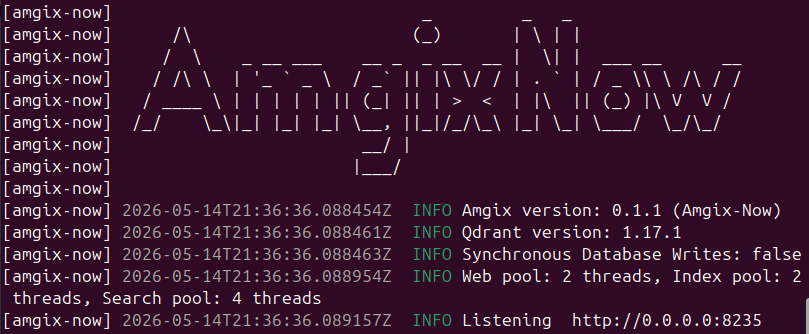
Amgix Now is the newest member of the Amgix family, and it's available today. This post will explain what Amgix Now is and why we built it, we will then put it through some tests and see how it does on various datasets.
Jump to: Benchmarks, Results, or Takeaways
What is Amgix Now
Amgix Now is a high-performance hybrid search engine. Unlike Amgix, which is designed to be a distributed modular hybrid search system, Amgix Now is built as a single Rust binary that delivers Amgix search features with a focus on search relevance, high throughput and low latency.
docker run -d -v <path-to-data>:/data -p 8235:8235 amgixio/amgix-now:0
For GPU-accelerated hybrid search use amgixio/amgix-now:0-gpu image.
The same API as Amgix: Getting Started
Why We Built it
It started as an experiment: what would happen if we took Amgix, stripped out all the cluster communication and coordination layers and implemented it as a stand-alone hybrid search engine, in Rust?
WMTR and other built-in tokenizers were already implemented in Rust. At first, we ported basic API endpoints, collection and document processing logic, supporting database functionality and minimal internal coordination logic.
We ran some tests and were impressed by the initial performance indicators. We also realized that for many use cases, a simple reliable fast hybrid search engine is all that is needed, and if it can handle a decent amount of load, you may never need to upgrade to anything more advanced.
At this point, it became not "if" but "how soon" we can build it.
We ported the rest of the API endpoints, internal logic, hybrid search and embedding pieces.
After the first milestone of passing all the Amgix API integration tests was achieved, we focused on running tests, tweaking, tuning and optimizing internal architecture and performance.
The result is the Amgix Now we have today.
So in a way, it was never about "why", it kind of demanded itself into existence. We couldn't help ourselves.
Where Amgix Now Fits in Amgix Family
The table below explains some of the differences and trade-offs of using Amgix Now, Amgix One, and full Amgix cluster.
| Amgix Now | Amgix One | Amgix | |
|---|---|---|---|
| Hybrid search | engine | system | system |
| Single container | ✓ | ✓ | |
| Async ingestion pipeline | ✓ | ✓ | |
| Dashboard & metrics | ✓ | ✓ | |
| PostgreSQL/MariaDB | ✓ | ✓ | |
| High availability | limited* | awkward** | ✓ |
| Modular scaling | ✓ | ||
| Model self-orchestration | ✓ | ||
| Throughput | high | medium | scales with cluster |
| Latency | lowest | medium | medium |
| Operational complexity | lowest | medium | highest |
- * Amgix Now can be configured as a primary/fallback behind a proxy and a shared external Qdrant instance
- ** Multiple Amgix One instances can be deployed with external RabbitMQ and database instances, but it's awkward and better served by a full-scale Amgix cluster deployment
Some key points:
- the API is identical between Amgix Now and Amgix (with the exception of metrics and a couple of async queue endpoints that are not implemented)
- Qdrant is the default and only storage supported in Amgix Now
- Like Amgix, Amgix Now is not tightly coupled with a backend database. You can point Amgix Now at an external Qdrant instance.
- All document upsert and delete endpoints are synchronous (there is no async ingestion pipeline or queue)
- Documents are automatically deduplicated on upserts and internal locking preserves write atomicity (just like Amgix)
This makes for an interesting upgrade story. Because the API is identical and storage is identical (if you use Qdrant) you can switch from Amgix Now to Amgix One or full Amgix by simply mounting the same storage directory and starting a different version of Amgix. No application changes are required. You can go from Amgix Now to Amgix One and back again by simply stopping one container and starting another.
Benchmarks
Introduction
You may have noticed, if you read our blog posts and documentation pages, that we love benchmarks. Well, maybe not "love" (because they are a lot of work), but we do them a lot. Part of it is that the Amgix project is young and benchmarks are our way to tell the world that we are serious and we may be worth your consideration. The other part is that we like precision. When something is fast, we want to know how fast and when something is precise we want to know how precise. Benchmarks give us a tangible way to measure what we are building.
What are We Testing
The primary goal of these tests is for us to find out and share with you how Amgix Now performs on various datasets.
Modern search engines offer a staggering array of features and options, but no matter the level of sophistication of these solutions, there are two core functions that any user expects from a search system: relevance and speed.
Can you find what I'm looking for and can you find it quickly?
To that end, the tests below focus on these metrics by measuring relevance (nDCG@k), recall (Recall@k) and search query latencies (p50, p95). We also report some operational observations along the way.
Note
The following tests are keyword-only. While Amgix Now is a hybrid search engine, capable of handling multi-vector searches using both keyword tokenizers and ML models, the model-based search latencies are dominated by model inference times, which doesn't give us a good representation of search engine performance characteristics.
Frame of Reference
The results below include the Amgix Now numbers side-by-side with the numbers for the three widely used and popular search engines: Typesense, Meilisearch, and Elasticsearch. These are mature projects/businesses with decades of software engineering expertise, countless features, established communities and dedicated users and customers. Listing Amgix Now side-by-side with these giants seems... well... immodest.
We didn't take the decision to include their numbers in this report lightly. For one, it opens us up to all kinds of criticism, fair or unfair. But it is also a ton of work to research and test everything on four different systems.
Nevertheless, we decided to go ahead and publish all the numbers. And here is why:
-
Publishing only Amgix Now numbers in isolation lacks context. Is 22ms on p50 on this dataset good or meh? Including the numbers from the other systems gives us a frame of reference. This is how some of the other search engines perform on the same task.
-
Even if you have no interest in Amgix, it may be useful for the engineering community to see the detailed metrics for the established search engines on the same hardware, on the same tests. Not to see who is better or worse. All systems have their strengths and weaknesses. Search relevance and speed are hardly the only metrics that one takes into account when selecting a search solution. But to be able to make more informed decisions when you need to. In fact, we would have loved it if the detailed benchmarks like this existed somewhere on the internet, so we can just cite them and not do all the work.
A Word About WMTR
Amgix Now includes all the same tokenizers that Amgix comes with: WMTR, Full Text, Trigrams and Whitespace. For these tests we are using WMTR as it is the default keyword tokenizer.
WMTR (Weighted Multilevel Token Representation) is Amgix's custom lexical tokenizer. It represents text through multiple lexical views at once: a surface-form view that stays closer to the original tokens, a language-aware normalized view built with Unicode word boundaries, stopword filtering, and stemming, and a character-level view that captures short local patterns inside the text. Those signals are then weighted together into a single sparse vector representation.
Because it requires no ML model, it's fast and lightweight, making it a great default for many use cases where you simply want high-quality lexical search. It is a good fit both for ordinary natural-language text and for noisier datasets (ERP, E-commerce, science, etc.) where short identifiers, mixed-format strings, and token structure still carry meaning.
BEIR Benchmark Context
The BEIR (Benchmarking IR) benchmark suite provides standardized datasets for evaluating information retrieval systems. In short, it's a framework that allows us to measure relevance of the results returned by a search system.
For context, we will include BM25 Multifield baseline scores from Pyserini's BEIR regression results with each BEIR dataset tested.
Test Setup
Expand collapsed sections for details:
Hardware
All tests are performed on a single bare-metal machine with the following specifications:
- CPU: AMD Ryzen™ 9 5900X × 12 cores (24 threads)
- RAM: 64GB
- GPU: NVIDIA GeForce RTX 5060 Ti (16GB)
- Storage: SSD
- OS: Ubuntu 24.04.4 LTS
Note
This is hardly a clean room test setup. It's not even a server. It's a desktop Ubuntu workstation with many other processes running on it at the same time: browser windows, other applications, etc. But we did not have any heavy processes running at the time of the tests.
Methodology
-
All datasets below were tested on single containers with 4 CPU cores. The exception was the large NQ dataset, where we gave all the containers 8 CPU cores.
-
Container memory was not restricted. Elasticsearch had its heap size set at 16GB for all datasets.
- Document uploads and BEIR tests were executed with custom python scripts that use BEIR library to do evaluations.
- Documents are uploaded in batches of 100.
- Search queries are executed in parallel, 4 at a time.
-
We followed this procedure on every dataset and every server:
- Start container with clean data directory (no indexes/collections).
- Create the index/collection and upload documents.
- Wait for the container CPU utilization to appear idle (allowing it to finish any background work).
- Stop the container.
- Start the container.
- Run the search tests two times to warm up any caches.
- Run the search tests one more time and record reported numbers (relevance and latencies).
- Where available, re-run the search tests with boosted queries to record
nDCG@10 (boost)values only. SeeBoosted Queriessection below for the details.
Server Versions
The following server versions were used for these tests:
- Typesense: 29.0
- Meilisearch: 1.37
- Elasticsearch: 8.19.6
- Amgix Now: 0.1.1
Typesense on Natural Language Datasets
While testing Typesense on Natural Language (NL) datasets (SciFact, Quora, NQ) we've realized that there is a significant tension between relevance and latencies when it comes to some of their query parameters. That presented us with a dilemma of what configuration options we should use when we present their numbers.
-
drop_tokens_thresholdTo the best of our understanding, Typesense is using
ANDsemantics when searching the documents. It first finds all the documents in the corpus where all of the words (tokens) of the query have a match. It then looks at thedrop_tokens_thresholdvalue and if the number of the documents found in the first pass is below the value, it performs additional searches by omitting the query tokens until they find the desired number of the documents. The default value fordrop_tokens_thresholdis1.This setting has a dramatic effect on both the latency of the searches and the relevance of the results. Consider the following numbers we recorded by running Typesense on Quora dataset with different values of
drop_tokens_threshold:drop_tokens_threshold0 1 10 nDCG@10 0.0989 0.2521 0.2879 p50 (ms) 4.8 9.5 16.1 p95 (ms) 12.8 32.6 42.0 -
With
drop_tokens_thresholdof0they are lightning fast, but nDCG@10 of0.0989indicates that they find almost no relevant documents. -
With
drop_tokens_thresholdof10their relevance is much better, but their latencies are much worse. -
Going from
1to10improved the relevance marginally, but at the huge expense of the speed.
For that reason, on all the NL datasets, we ran Typesense with the default setting of
1. It seems to provide the best balance between the relevance and the latencies. -
-
num_typosandtypo_tokens_thresholdThese settings control typo tolerance of the search queries. NL datasets do not generally have typos, so enabling or disabling the typo tolerance of Typesense had almost no impact on relevance scores. However, keeping typo tolerance on (default) produced dramatically slower results. On the same Quora dataset:
- p50: 9.5ms (no typos) -> 30.9 (with typos)
- p95: 32.6ms (no typos) -> 226.4 (with typos)
Due to these observations, and because NL datasets do not benefit from typo tolerance being enabled for relevance scores, we ran all the Typesense tests on NL datasets with typo tolerance disabled.
Meilisearch on Natural Language Datasets
With Meilisearch we found that typo tolerance on Natural Language (NL) datasets (SciFact, Quora, NQ) improved their relevance scores a little bit and didn't seem to impact their latencies at all. For that reason, we ran Meilisearch with all the default settings (typo tolerance is enabled by default).
Boosted Queries
On the datasets with two fields (SciFact, NQ) we applied simple scoring tweaks (where available) in an attempt to boost nDCG@k scores for better relevance. The general assumption being that text/content field matches are twice as important as name/title fields.
- For Typesense and Elasticsearch that meant boosting
textfield weight to2 - We didn't find a corresponding setting for Meilisearch
- For Amgix Now we set
fusion_modetolinearand the weight ofcontentfield to2.
The resulting numbers are reported as nDCG@10 (boost).
Disclaimer
We are not experts at running and configuring third-party search engines. While we studied the settings and tried to give every system appropriate configuration for the tested dataset, it's quite possible that we've missed something and a better configuration may exist. If you notice something in the configuration of these systems that may have affected the test results, please let us know, we'll be happy to re-test with the more optimal configurations.
Results
PC Parts Dataset
The PC Parts dataset is not a standard BEIR dataset. It's a list of 6,636 video card names (Asus TUF GAMING, Asus EAH6450 SILENT/DI/512MD3(LP), Gigabyte GV-N660OC-2GD, Gigabyte WINDFORCE). There are only 16 queries: short partial strings, typos, non alpha-numeric characters.
The data lacks linguistic richness that most tokenizers (model-based or not) are optimized for. However, this is representative of the data that exists in many domains (ERP, E-commerce, etc.), where you may have thousands of records with part numbers like Pin 12LP'-x03/5-XL and short or non-existent descriptions. Users searching these datasets often know the exact model/part number they want to find, so they search for unique bits of identifiers, special characters and all, to quickly find what they came for. Full-text tokenizers (for example) struggle with this, they typically strip out all special characters, drop single digits, etc. FT tokenizer may represent the above part number as pin 12lp x03 xl, which drops some or all differentiators, meaningful for this context, reducing recall and precision of searches.
Because the dataset is unique, not a Natural Language friendly data, we tested two different configs of search engines: Defaults (out-of-the-box experience) and Optimized (settings tuned for better relevance).
Defaults
Search Engine Configurations (expand to see details)
Collection definition:
{
    "vectors": [{"name": "keyword", "type": "wmtr", "index_fields": ["name", "content"]}]
}
Query:
{
    "query": "<QUERY_TEXT>",
    "limit": 100
}
Collection definition:
{
    "name": "<COLLECTION_NAME>",
    "fields": [
        {
            "name": "name",
            "type": "string"
        },
        {
            "name": "text",
            "type": "string"
        },
    ]
}
Query:
{
    "q": "<QUERY_TEXT>",
    "query_by": "name,text",
    "per_page": 100
}
Index definition:
{"uid": "<INDEX_NAME>", "primaryKey": "id"}
Document definition:
{
    "id": "<DOC_ID>",
    "name": "<TITLE>",
    "text": "<TEXT>"
}
Query:
{
    "q": "<QUERY_TEXT>",
    "limit": 100
}
Index definition:
{
    "settings": {
        "analysis": {
            "analyzer": {
                "id_std": {
                    "type": "custom",
                    "tokenizer": "standard",
                    "filter": ["lowercase", "stop", "english_stemmer"]
                }
            },
            "filter": {
                "english_stemmer": {"type": "stemmer", "language": "english"},
            }
        }
    },
    "mappings": {
        "properties": {
            "name": {
                "type": "text",
                "analyzer": "id_std"
            },
            "content": {
                "type": "text",
                "analyzer": "id_std"
            }
        }
    }
}
Query:
{
    "size": 100,
    "track_total_hits": false,
    "query": {
        "multi_match": {
            "query": "<QUERY_TEXT>",
            "fields": ["name", "content"],
            "type": "most_fields"
        }
    }
}
| Typesense | Meilisearch | Elasticsearch | Amgix Now | |
|---|---|---|---|---|
| nDCG@1 | 0.7500 | 0.7500 | 0.8125 | 0.9375 |
| nDCG@10 | 0.7500 | 0.7500 | 0.8317 | 0.9325 |
| Recall@10 | 0.7500 | 0.7500 | 0.8438 | 0.9375 |
| p50 (ms) | 2.6 | 2.9 | 4.6 | 3.4 |
| p95 (ms) | 4.5 | 4.4 | 7.5 | 4.2 |
Warning
At sub-10ms latencies with very few queries, small differences should be interpreted with caution as they may fall within normal measurement variance.
Optimized
Search Engine Configurations (expand to see details)
We tried different options to see if we can boost the relevance scores, but couldn't improve on defaults. So we used the same default configuration.
Collection definition:
{
    "vectors": [{"name": "keyword", "type": "wmtr", "index_fields": ["name", "content"]}]
}
Query:
{
    "query": "<QUERY_TEXT>",
    "limit": 100
}
For Typesense we enabled infix and set num_typos to 3.
Collection definition:
{
    "name": "<COLLECTION_NAME>",
    "fields": [
        {
            "name": "name",
            "type": "string",
            "infix": true
        },
        {
            "name": "text",
            "type": "string",
            "infix": true
        },
    ]
}
Query:
{
    "q": "<QUERY_TEXT>",
    "query_by": "name,text",
    "per_page": 100,
    "infix": "always",
    "num_typos": 3
}
For Meilisearch we adjusted typo-tolerance settings (see below).
Index definition:
{"uid": "<INDEX_NAME>", "primaryKey": "id"}
Document definition:
{
    "id": "<DOC_ID>",
    "name": "<TITLE>",
    "text": "<TEXT>"
}
Query:
{
    "q": "<QUERY_TEXT>",
    "limit": 100
}
Additional config:
curl -X PATCH 'http://localhost:7700/indexes/<INDEX_NAME>/settings/typo-tolerance' \
    -H 'Content-Type: application/json' \
    -d '{
        "minWordSizeForTypos": {
            "oneTypo": 3,
            "twoTypos": 3
        }
    }'
For Elasticsearch we had to index and search with ngrams (trigrams).
Index definition:
{
    "settings": {
        "analysis": {
            "analyzer": {
                "id_std": {
                    "type": "custom",
                    "tokenizer": "standard",
                    "filter": ["lowercase", "stop", "english_stemmer"]
                },
                "id_ngram3": {
                    "type": "custom",
                    "tokenizer": "keyword",
                    "filter": ["lowercase", "ngram_3"]
                }
            },
            "filter": {
                "english_stemmer": {"type": "stemmer", "language": "english"},
                "ngram_3": {"type": "ngram", "min_gram": 3, "max_gram": 3}
            },
        }
    },
    "mappings": {
        "properties": {
            "name": {
                "type": "text",
                "analyzer": "id_std",
                "fields": {
                    "ngram": {"type": "text", "analyzer": "id_ngram3"},
                }
            },
            "content": {
                "type": "text",
                "analyzer": "id_std",
                "fields": {
                    "ngram": {"type": "text", "analyzer": "id_ngram3"},
                }
            }
        }
    }
}
Query:
{
    "size": 100,
    "track_total_hits": false,
    "query": {
        "multi_match": {
            "query": "<QUERY_TEXT>",
            "fields": ["name^1", "name.ngram^1", "content^1", "content.ngram^1"],
            "type": "most_fields"
        }
    }
}
| Typesense | Meilisearch | Elasticsearch | Amgix Now | |
|---|---|---|---|---|
| nDCG@1 | 0.8125 | 0.8750 | 0.8750 | 0.9375 |
| nDCG@10 | 0.8438 | 0.8750 | 0.9133 | 0.9325 |
| Recall@10 | 0.8750 | 0.8750 | 0.9375 | 0.9375 |
| p50 (ms) | 4.2 | 3.7 | 6.0 | 2.8 |
| p95 (ms) | 6.1 | 5.8 | 7.9 | 4.6 |
Warning
At sub-10ms latencies with very few queries, small differences should be interpreted with caution as they may fall within normal measurement variance.
BEIR SciFact Dataset
The SciFact dataset contains 5,183 documents and 300 queries focused on scientific claims and evidence verification. This makes it a great benchmark for evaluating search performance on domain-specific scientific content.
Search Engine Configurations (expand to see details)
Collection definition:
{
    "vectors": [{"name": "keyword", "type": "wmtr", "index_fields": ["name", "content"]}]
}
Query:
{
    "query": "<QUERY_TEXT>",
    "limit": 100
}
Boosted query:
{
    "query": "<QUERY_TEXT>",
    "limit": 100,
    "fusion_mode": "linear",
    "vector_weights": [
        {"vector_name": "keyword", "field": "name", "weight": 1.0},
        {"vector_name": "keyword", "field": "content", "weight": 2.0},
    ]
}
Collection definition:
{
    "name": "<COLLECTION_NAME>",
    "fields": [
        {
            "name": "name",
            "type": "string"
        },
        {
            "name": "text",
            "type": "string"
        },
    ]
}
Query:
{
    "q": "<QUERY_TEXT>",
    "query_by": "name,text",
    "per_page": 100,
    "num_typos": 0,
    "typo_tokens_threshold": 0
}
Boosted query:
{
    "q": "<QUERY_TEXT>",
    "query_by": "name,text",
    "per_page": 100,
    "num_typos": 0,
    "typo_tokens_threshold": 0,
    "query_by_weights": "1,2"
}
Index definition:
{"uid": "<INDEX_NAME>", "primaryKey": "id"}
Document definition:
{
    "id": "<DOC_ID>",
    "name": "<TITLE>",
    "text": "<TEXT>"
}
Query:
{
    "q": "<QUERY_TEXT>",
    "limit": 100
}
Index definition:
{
    "settings": {
        "analysis": {
            "analyzer": {
                "id_std": {
                    "type": "custom",
                    "tokenizer": "standard",
                    "filter": ["lowercase", "stop", "english_stemmer"]
                }
            },
            "filter": {
                "english_stemmer": {"type": "stemmer", "language": "english"},
            }
        }
    },
    "mappings": {
        "properties": {
            "name": {
                "type": "text",
                "analyzer": "id_std"
            },
            "content": {
                "type": "text",
                "analyzer": "id_std"
            }
        }
    }
}
Query:
{
    "size": 100,
    "track_total_hits": false,
    "query": {
        "multi_match": {
            "query": "<QUERY_TEXT>",
            "fields": ["name", "content"],
            "type": "most_fields"
        }
    }
}
Boosted query:
{
    "size": 100,
    "track_total_hits": false,
    "query": {
        "multi_match": {
            "query": "<QUERY_TEXT>",
            "fields": ["name^1", "content^2"],
            "type": "most_fields"
        }
    }
}
| Typesense | Meilisearch | Elasticsearch | Amgix Now | |
|---|---|---|---|---|
| nDCG@1 | 0.3233 | 0.2900 | 0.5433 | 0.4833 |
| nDCG@10 | 0.3386 | 0.3770 | 0.6704 | 0.6332 |
| nDCG@10 (boost) | 0.3386 | n/a | 0.6953 | 0.6645 |
| Recall@10 | 0.3509 | 0.4637 | 0.8053 | 0.7840 |
| p50 (ms) | 7.0 | 5.6 | 8.5 | 4.4 |
| p95 (ms) | 35.3 | 9.6 | 11.5 | 5.6 |
BEIR Quora Dataset
The Quora dataset contains 523K documents and 10,000 queries, and pairs duplicate questions from Quora. Documents are question text only.
Search Engine Configurations (expand to see details)
Collection definition:
{
    "vectors": [{"name": "keyword", "type": "wmtr", "index_fields": ["name", "content"]}]
}
Query:
{
    "query": "<QUERY_TEXT>",
    "limit": 100
}
Collection definition:
{
    "name": "<COLLECTION_NAME>",
    "fields": [
        {
            "name": "name",
            "type": "string"
        },
        {
            "name": "text",
            "type": "string"
        },
    ]
}
Query:
{
    "q": "<QUERY_TEXT>",
    "query_by": "name,text",
    "per_page": 100,
    "num_typos": 0,
    "typo_tokens_threshold": 0
}
Index definition:
{"uid": "<INDEX_NAME>", "primaryKey": "id"}
Document definition:
{
    "id": "<DOC_ID>",
    "name": "<TITLE>",
    "text": "<TEXT>"
}
Query:
{
    "q": "<QUERY_TEXT>",
    "limit": 100
}
Index definition:
{
    "settings": {
        "analysis": {
            "analyzer": {
                "id_std": {
                    "type": "custom",
                    "tokenizer": "standard",
                    "filter": ["lowercase", "stop", "english_stemmer"]
                }
            },
            "filter": {
                "english_stemmer": {"type": "stemmer", "language": "english"},
            }
        }
    },
    "mappings": {
        "properties": {
            "name": {
                "type": "text",
                "analyzer": "id_std"
            },
            "content": {
                "type": "text",
                "analyzer": "id_std"
            }
        }
    }
}
Query:
{
    "size": 100,
    "track_total_hits": false,
    "query": {
        "multi_match": {
            "query": "<QUERY_TEXT>",
            "fields": ["name", "content"],
            "type": "most_fields"
        }
    }
}
| Typesense | Meilisearch | Elasticsearch | Amgix Now | |
|---|---|---|---|---|
| nDCG@1 | 0.2606 | 0.2502 | 0.7218 | 0.6991 |
| nDCG@10 | 0.2521 | 0.2650 | 0.8058 | 0.7921 |
| Recall@10 | 0.2556 | 0.2914 | 0.8999 | 0.8914 |
| p50 (ms) | 9.5 | 6.0 | 6.0 | 5.5 |
| p95 (ms) | 32.6 | 10.4 | 9.0 | 7.0 |
Errors
While testing Quora dataset with Meilisearch we have observed some Connection Reset errors on multiple occasions. We are not sure if we were hitting some bug in Meilisearch or it was caused by some issue in our test environment. We haven't observed any errors in Meilisearch logs or with any other datasets. Every time this happened, we have aborted the tests, restarted Meilisearch container and re-tested until we got clean test runs.
BEIR NQ Dataset
The Natural Questions (NQ) dataset contains 2.6M documents and 3,452 queries, and uses Wikipedia passages and factoid-style queries. This dataset is difficult for keyword searches, relevance scores are usually pretty low, but it gives us a chance to see how search engines perform on a large dataset.
Search Engine Configurations (expand to see details)
Collection definition:
{
    "vectors": [{"name": "keyword", "type": "wmtr", "index_fields": ["name", "content"]}]
}
Query:
{
    "query": "<QUERY_TEXT>",
    "limit": 100
}
Boosted query:
{
    "query": "<QUERY_TEXT>",
    "limit": 100,
    "fusion_mode": "linear",
    "vector_weights": [
        {"vector_name": "keyword", "field": "name", "weight": 1.0},
        {"vector_name": "keyword", "field": "content", "weight": 2.0},
    ]
}
Collection definition:
{
    "name": "<COLLECTION_NAME>",
    "fields": [
        {
            "name": "name",
            "type": "string"
        },
        {
            "name": "text",
            "type": "string"
        },
    ]
}
Query:
{
    "q": "<QUERY_TEXT>",
    "query_by": "name,text",
    "per_page": 100,
    "num_typos": 0,
    "typo_tokens_threshold": 0
}
Boosted query:
{
    "q": "<QUERY_TEXT>",
    "query_by": "name,text",
    "per_page": 100,
    "num_typos": 0,
    "typo_tokens_threshold": 0,
    "query_by_weights": "1,2"
}
Index definition:
{"uid": "<INDEX_NAME>", "primaryKey": "id"}
Document definition:
{
    "id": "<DOC_ID>",
    "name": "<TITLE>",
    "text": "<TEXT>"
}
Query:
{
    "q": "<QUERY_TEXT>",
    "limit": 100
}
Index definition:
{
    "settings": {
        "analysis": {
            "analyzer": {
                "id_std": {
                    "type": "custom",
                    "tokenizer": "standard",
                    "filter": ["lowercase", "stop", "english_stemmer"]
                }
            },
            "filter": {
                "english_stemmer": {"type": "stemmer", "language": "english"},
            }
        }
    },
    "mappings": {
        "properties": {
            "name": {
                "type": "text",
                "analyzer": "id_std"
            },
            "content": {
                "type": "text",
                "analyzer": "id_std"
            }
        }
    }
}
Query:
{
    "size": 100,
    "track_total_hits": false,
    "query": {
        "multi_match": {
            "query": "<QUERY_TEXT>",
            "fields": ["name", "content"],
            "type": "most_fields"
        }
    }
}
Boosted query:
{
    "size": 100,
    "track_total_hits": false,
    "query": {
        "multi_match": {
            "query": "<QUERY_TEXT>",
            "fields": ["name^1", "content^2"],
            "type": "most_fields"
        }
    }
}
Operational Observations
Because NQ is such a large dataset, we thought it would be a good opportunity to observe and record some additional metrics, like upload times, memory utilization at various points, and disk space used. Expand this section to see the details of how we recorded the numbers:
How we recorded these numbers
We recorded some operational observations by following the following procedure:
- Start container fresh with empty data directory. No indexes or collections.
- Record container memory utilization after start as
Start Memory. - Bulk upload all documents in 100 documents batches.
- Record the time it took to issue all bulk upload requests as
Upload Time. - We were able to record
Index Timeon Meilisearch by querying index stats and waiting forisIndexingvalue to befalse. Typesense is synchronous, there is no separate indexing phase. Both Elasticsearch and Amgix Now (by default, it can be changed) have a "near real-time" indexing, so indexing may go on for some time after uploads are done, so we recorded it as "?". - Wait for CPU activity to die down. Assuming indexing is done at this point.
- Record
Index Memory- amount of memory consumed by the container after indexing. - Shutdown the container and start it again.
- Run BEIR tests.
- Record
Search Memory- amount of memory consumed by the container after searches ran. - Shutdown the container and record
Disk Usageby measuring disk utilization of the data directory.
Warning
Memory on all containers, except for Elasticsearch, fluctuated quite a bit, so the values recorded are just for a general idea and are not definitive.
| Typesense | Meilisearch | Elasticsearch | Amgix Now | |
|---|---|---|---|---|
| Upload time | 3810 | 695 | 212 | 754 |
| Index Time | n/a | 168 | ? | ? |
| Start Memory | 126MB | 56MB | 16.8GB | 116MB |
| Index Memory | 1.7GB | 7.2GB | 17.0GB | 2.4GB |
| Search Memory | 1.6GB | 0.3GB | 16.8GB | 0.7GB |
| Disk Usage | 3.1GB | 18.0GB | 1.5GB | 6.0GB |
Startup Times
When we restarted Typesense container it took over 5 minutes to load the data in memory and before the server endpoints became responsive. The rest of the systems became available in seconds.
Relevance and Latency
| Typesense | Meilisearch | Elasticsearch | Amgix Now | |
|---|---|---|---|---|
| nDCG@1 | 0.0269 | 0.0330 | 0.1756 | 0.1396 |
| nDCG@10 | 0.0362 | 0.0506 | 0.3127 | 0.2606 |
| nDCG@10 (boost) | 0.0364 | n/a | 0.3116 | 0.3165 |
| Recall@10 | 0.0460 | 0.0694 | 0.4804 | 0.4199 |
| p50 (ms) | 64.9 | 19.7 | 7.2 | 22.2 |
| p95 (ms) | 226.5 | 39.7 | 10.3 | 25.5 |
Takeaways
Note
Because our primary goal was to evaluate Amgix Now, we focused our takeaways on its performance. The full results for all systems are included above for your own analysis.
Relevance
The relevance numbers for Amgix Now are not new to us. It uses the same WMTR tokenizer as Amgix that we have extensively tested before in our early benchmarks, WMTR benchmarks, and the discussion about Linear fusion.
Amgix Now performed very well on PC Parts dataset and matched or closely approached the published BEIR BM25 baseline on the BEIR datasets.
Latencies
p50 Story
-
On the small
PC Partswith very few queries, Amgix Now stayed within the pack and probably within the normal measurement variance numbers. Seemingly, a little better on some runs (Optimized) and in the middle on others (Defaults). If you average the numbers between Defaults and Optimized results, Amgix Now was a tiny bit ahead of the pack with the average of3.1ms. -
On the small
SciFactand the medium sizedQuoradatasets with plenty of queries, Amgix Now slightly edged the pack. Again, given the measurement variance, we can say it was among the leaders. -
On the large
NQdataset, Amgix Now showed a middle of the pack performance.
p95 Story
Here, Amgix Now leads on all datasets, except for NQ, showing impressive stability of search latencies. In fact, if you look at the latency variance (p95 - p50) across the datasets you can see this clearly:
| Typesense | Meilisearch | Elasticsearch | Amgix Now | |
|---|---|---|---|---|
| PC Parts (Defaults) | 1.9 | 1.5 | 2.9 | 0.8 |
| PC Parts (Optimized) | 1.9 | 2.1 | 1.9 | 1.8 |
| SciFact | 28.3 | 4.0 | 3.0 | 1.2 |
| Quora | 23.1 | 4.4 | 3.0 | 1.5 |
| NQ | 161.6 | 20.0 | 3.1 | 3.3 |
| Average Latency Variance | 43.4 | 6.4 | 2.8 | 1.7 |
Overall
Amgix Now performed very competitively across the datasets on both relevance and latency. It's new and nowhere near as battle-tested as the other systems included in this report, but we believe the numbers show that it's well worth consideration when you are choosing a search engine for your next project.